The School Segment Module is designed to categorize the school into various academic or administrative divisions. These segments represent different levels, sections, or units within the institution such as Pre-School, Primary, Junior Secondary, Senior Secondary, or Daycare, Boarding, Evening School, depending on the institution’s structure.
Create School Segment #
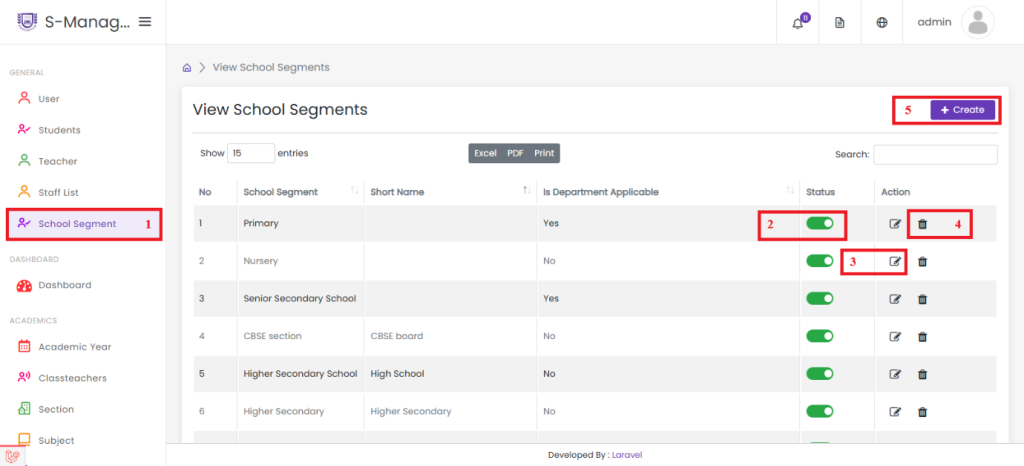
- Click on School Segment.
- Enable or disable any of the created school segments.
- Click Edit to modify the details of an existing school segment.
- Click Delete to remove a created school segment.
- Click Create to add a new school segment.

- Enter the school segment name. e.g., Senior Secondary School
- Enter the short name for the school segment. e,g SSS
- Enable the option if departments are applicable to this school segment.
- Click Save to successfully create the school segment.


