The Category Module is used to create and manage various classification groups within the system, such as item types, service categories, or academic groupings. It helps organize data efficiently by grouping related elements under defined categories, enabling easier tracking, filtering, and reporting across different modules.

- Click on Category.
- Click to Enable or Disable an existing inventory category.
- Click to Edit an existing inventory category.
- Click to Delete an existing inventory category.
- Click to Create a new inventory category.
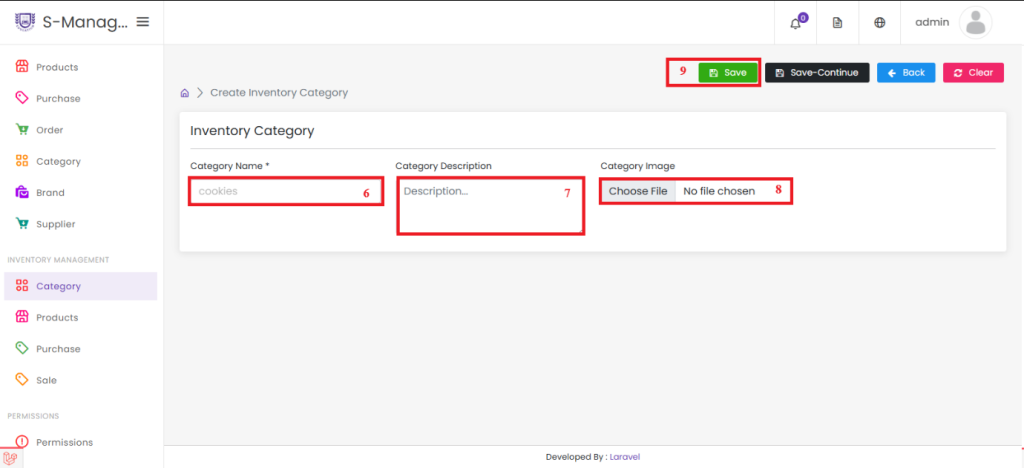
- Enter the Category Name.
- Provide a Category Description.
- Upload an Image for the category (optional).
- Click Save – the inventory category will be created successfully.


